TPL Notebook
A Free Tool Called REA, and What It Means for Your Ministry.
 By Tommy Lee
Reverse engineer anything. What REA is, where to get it, and how a ministry or a person could use it.
You have probably used an app and wondered, how does this thing actually work? Maybe it was a donor tool, or an event signup page, or a devotional app on your phone. Figuring that out used to take a trained specialist and a lot of time and money. That is starting to change.
There is a free tool now called REA. The name stands for Reverse Engineer Anything. And it does something that used to be out of reach for most of us.
Let me explain. Think about a cake. You taste a cake you love, and you start working backward. What is in this? How did they make it? And once you figure it out, you can go bake your own version. REA helps an AI do that same thing, but with software. You ask the AI a plain question, and it studies the finished app and tells you what it finds. It can look at programs on a computer, at Android apps, and at websites, among other things.
Now here's the thing. REA does not magically hand you a company's private, perfect original files. For a finished program, it gives you a careful reconstruction, the logic written back out in a form you can read. For a website or the front end of an app, it can often recover the real code. And either way, it shows you its evidence, and it is honest with you about what it could not figure out.
Where to find it
REA is out in the open, and it is free. It is kept on a website called GitHub, which is where programmers share their code with the world. This is an open source project, and anyone can go get it. There are two official places to find it.
- The project page on GitHub: github.com/morluto/rea
- The project website: rea.tools
Those two are the real ones. Only get it from there. There are some fake and even harmful copies that have shown up elsewhere online, so if a download looks off, skip it.
How a ministry could use it
A few ways come to mind.
- Understand a tool before you lean on it. Know what you are getting before it becomes part of how you operate.
- Plan a simple tool of your own, like a donor report or an event signup, by first studying how the ones you like already work.
- Teach your staff and volunteers how everyday software works, so they stop being afraid of it.
- If a certain tool or software is too expensive but you like the features, consider building it out yourself.
- Save money by building tools you can dream of.
How one person could use it
You do not have to run a whole organization to get something out of this.
- Ask an AI how an app does what it does.
- Compare two tools before you pick one.
- Make sense of an older program you still depend on.
- Take what you learn and build a simple tool that fits your own life.
Basic steps to use it
Here is how it works, start to finish. It is simpler than it sounds.
- Pick an AI helper that works with REA. The common ones are Claude Code, Codex, and Cursor, among others.
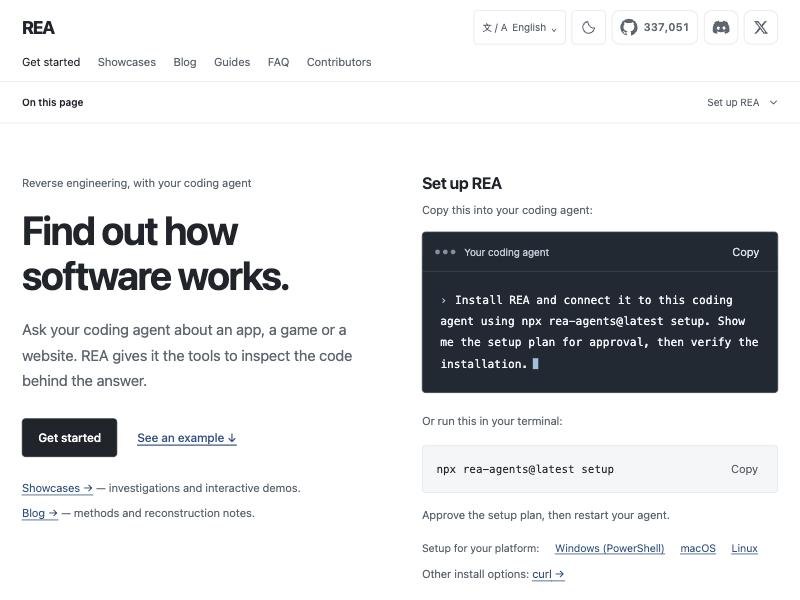
- Go to the official page at github.com/morluto/rea, and run the one short setup command that connects REA to your helper. The command is simply:
npx rea-agents setup
- That is really it. From there you just ask your questions in plain words, and the AI does the work. Something like, study this website and explain how its signup works.
One more technical note. For simple things, like a website, that setup is all you need. For digging deep into an installed desktop program, your helper may also lean on a separate analysis tool behind the scenes. There is a free and well respected one called Ghidra that works just fine to start. There are fancier paid ones out there too, but you do not need them to begin. REA also gets updated often, so if that command ever looks out of date, grab the current one straight from the GitHub page.
A word on cost
REA itself is free, and it is open to anyone. The main thing you pay for is the AI helper you choose.
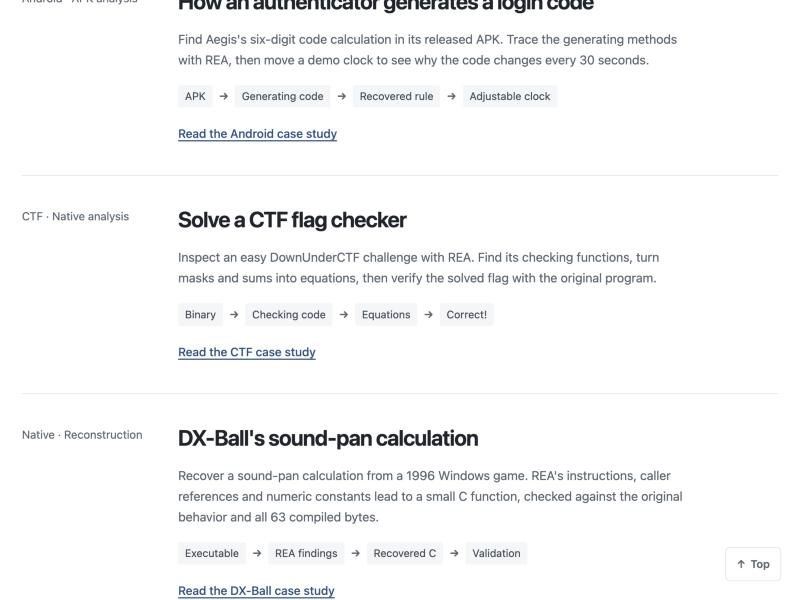
More examples. One turns a program's checks into equations to solve a puzzle. Another rebuilds a small sound calculation from a 1996 game in plain readable code, then checks it against the original down to the last byte.